Last updated: June 2026
By CalcOrigin Editorial Team
Add or Subtract Time
The time calculator can add or subtract two given time values and express the result in days, hours, minutes, and seconds. Simply enter the time values in the input fields and select whether you want to add or subtract them. The calculator will instantly provide the result in normalized form.
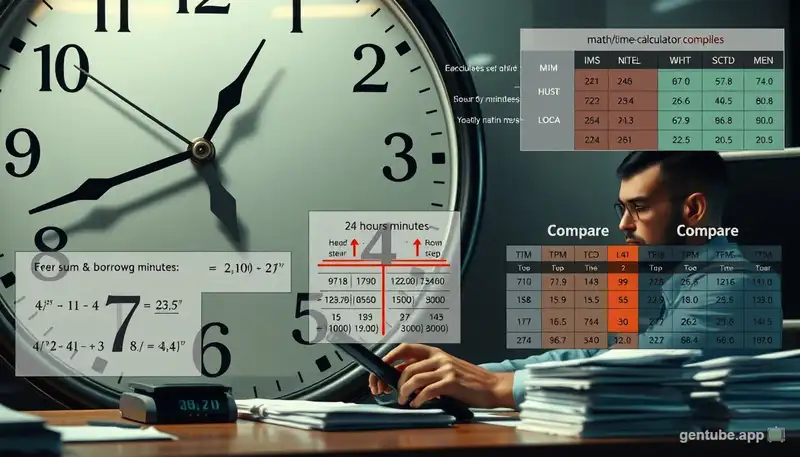
Time addition follows simple arithmetic. When you add 2 hours 30 minutes to 4 hours 45 minutes, the sum is 6 hours 75 minutes, which normalizes to 7 hours 15 minutes. The calculator automatically handles the carry-over from minutes to hours and hours to days. For example, adding 15 hours to 12 hours gives 27 hours, which is displayed as 1 day and 3 hours. This normalization process saves you the mental math and eliminates errors.
Time subtraction works the same way in reverse. If you subtract 3 hours 45 minutes from 5 hours 30 minutes, the result is 1 hour 45 minutes. When subtraction would produce a negative value in any unit, the calculator automatically borrows from the next higher unit. For instance, subtracting 45 minutes from 30 minutes borrows 1 hour (60 minutes), making it 90 minus 45 equals 45 minutes, with the hours reduced by one. This borrowing logic mirrors how manual time arithmetic works but executes instantly and without mistakes.
Add or Subtract Time from a Date
Use the date calculator to add or subtract a specific duration from a starting date and time. This is useful for calculating future or past dates based on a time interval. The result shows the new date, time, and day of the week.
Planning ahead is where this feature shines. If you have a deadline on March 15 and need to add 3 weeks and 2 days to schedule a follow-up, the calculator handles it perfectly. It accounts for the varying number of days in each month, so adding 30 days to January 15 gives you February 14, not February 15 if February has 28 days. The calculator also tracks the day of the week, so you can see that adding 10 days to a Tuesday lands on a Friday.
Business applications include calculating shipping delivery dates, warranty expiration periods, subscription renewal dates, and project milestone timelines. For example, if a 90-day warranty starts on June 15, the calculator instantly tells you it expires on September 13 (accounting for June's 30 days, July's 31 days, and August's 31 days). The time component also matters for legal documents, medical prescription schedules, and international business transactions where deadlines often specify both date and time.
Time Calculator in Expression
The expression calculator allows you to combine multiple time values using simple arithmetic. Each time value should be specified as a number followed by its unit:
- d - days
- h - hours
- m - minutes
- s - seconds
Example expressions:
1d 2h 3m 4s + 4h 5s30m + 1h 30s - 90s2h + 1800s
The expression calculator is the most versatile feature of our time calculator. It parses each term in the expression, converts everything to seconds, performs the arithmetic left to right respecting the operators, and then converts the total back into days, hours, minutes, and seconds. This approach means you can chain together any number of time values with any combination of addition and subtraction operations.
Advanced users can leverage the expression calculator for complex scenarios. For instance, calculating total work hours for a week: 8h + 8h30m + 7h45m + 8h + 6h - 5h30m (subtracting 5h30m for lunch breaks across the week). The result appears instantly in all five format views, showing total hours, minutes, days, and other breakdowns. This makes the expression calculator ideal for payroll, timesheet reconciliation, and project time tracking where many small time blocks need to be summed accurately.
Units of Time
Time can be measured in various units. Here are some common units of time:
| Unit |
Definition |
| Millennium | 1,000 years |
| Century | 100 years |
| Decade | 10 years |
| Year (average) | 365.242 days or 12 months |
| Common year | 365 days or 12 months |
| Leap year | 366 days or 12 months |
| Quarter | 3 months |
| Month | 28-31 days |
| Week | 7 days |
| Day | 24 hours or 1,440 minutes or 86,400 seconds |
| Hour | 60 minutes or 3,600 seconds |
| Minute | 60 seconds |
| Second | Base unit |
| Millisecond | 10-3 second |
| Microsecond | 10-6 second |
| Nanosecond | 10-9 second |
Understanding time units and their relationships is fundamental to using a time calculator effectively. The second is the base unit of time in the International System of Units (SI). All other time units derive from it: 60 seconds make a minute, 60 minutes make an hour, 24 hours make a day, 7 days make a week, and 365 or 366 days make a year. This hierarchical structure means that converting between units always involves multiplication or division by known constants. For more specialized duration tracking, our time duration calculator provides precise interval measurements between any two points.
In scientific contexts, smaller units like milliseconds (10-3 s), microseconds (10-6 s), nanoseconds (10-9 s), and picoseconds (10-12 s) are commonly used. At the other extreme, astronomers and geologists use units like the galactic year (about 230 million Earth years) to measure cosmic time scales. For most everyday purposes, the range from milliseconds to years covers all practical needs, and our time calculator handles every unit in this range with equal precision.
Time unit conversion is not always about getting smaller. Converting in the opposite direction is just as common. If you know the total number of seconds worked in a week, dividing by 3600 gives you decimal hours for payroll. If you have the number of days until a project deadline, multiplying by 24 gives hours, by 1440 gives minutes, and by 86,400 gives seconds. Understanding these relationships makes you more efficient at planning, scheduling, and tracking time in any context.
History of Time Measurement
Humans have measured time for thousands of years. The earliest timekeeping devices were sundials, which used the position of the sun's shadow to indicate the time of day. Ancient Egyptians divided the day into 24 hours around 1500 BCE, a system we still use today. Water clocks, also known as clepsydras, followed around 1500 BCE in Egypt and Babylon, measuring time by the regulated flow of water from one container to another.
Mechanical clocks appeared in Europe during the 13th century, driven by falling weights. The pendulum clock, invented by Christiaan Huygens in 1656, dramatically improved accuracy from about 15 minutes per day down to 10 seconds per day. By the 18th century, John Harrison's marine chronometer solved the longitude problem, allowing sailors to determine their position at sea with unprecedented precision. Our date calculator can help you measure durations in the modern context.
The 20th century brought quartz clocks in the 1920s and atomic clocks in the 1950s. Atomic clocks, which use the vibration of cesium atoms, are accurate to within one second over millions of years. In 1967, the International System of Units redefined the second based on cesium atomic vibrations: 9,192,631,770 cycles of radiation from a cesium-133 atom. This remains the official definition today and is the standard our time calculator relies on for precision.
Time Zones and Daylight Saving
Before time zones, each city kept its own local time based on solar noon. As railroads expanded in the 19th century, the need for standardized time became critical. In 1884, the International Meridian Conference divided the world into 24 time zones, each one hour apart, centered on the Prime Meridian in Greenwich, England. This system of Greenwich Mean Time (GMT), now known as Coordinated Universal Time (UTC), forms the basis of global timekeeping today.
Not all time zones are exactly one hour apart. Some regions use half-hour or quarter-hour offsets. For example, Newfoundland is UTC-3:30, India is UTC+5:30, and Nepal is UTC+5:45. China, despite spanning five geographical time zones, uses a single time zone (UTC+8) for the entire country. These variations can make calculating time differences across regions tricky without a reliable time calculator.
Daylight Saving Time (DST) adds another layer of complexity. About 70 countries observe DST, moving clocks forward one hour in spring and back in fall to make better use of daylight. DST starts and ends on different dates in different countries. The United States begins DST on the second Sunday of March and ends on the first Sunday of November. European Union countries follow a different schedule. When calculating time differences across DST transitions, our time calculator handles the arithmetic so you do not have to worry about the shifting offsets.
How to Convert Between Time Units
Converting between time units is a common task in many fields. The basic conversions are straightforward: 60 seconds make a minute, 60 minutes make an hour, 24 hours make a day, 7 days make a week, and approximately 30.44 days make an average month. For larger conversions, 365 days make a common year and 366 days make a leap year. Understanding these base conversion factors allows you to move fluidly between any time units, whether you are scaling up from seconds to hours or breaking down years into days.
To convert seconds to minutes, divide by 60. For example, 300 seconds divided by 60 equals 5 minutes. To convert hours to days, divide by 24. Forty-eight hours divided by 24 equals 2 days. Going in reverse, multiply by the conversion factor. Three days times 24 equals 72 hours, times 60 equals 4,320 minutes, times 60 equals 259,200 seconds. Our time calculator handles all these conversions automatically and displays results in multiple formats for maximum convenience.
Real-world applications of time conversion include payroll calculations (converting hours worked to decimal hours), travel planning (estimating journey durations), project management (tracking task hours and milestones), and fitness tracking (converting workout durations). Whether you need to convert 90 minutes to hours for a billing statement or calculate total seconds for a scientific experiment, understanding these conversions helps you work efficiently. Our unit conversion calculator can help with other measurement types as well.
Time in Science and Physics
In classical Newtonian physics, time was considered absolute and universal, flowing at the same rate for everyone regardless of motion or position. Isaac Newton described time as something that "flows uniformly without regard to anything external." This intuitive view worked well for centuries and still works for everyday calculations. When you use a time calculator for daily tasks, Newton's model gives you accurate results. For advanced mathematical operations involving time, try our scientific calculator for handling complex time-based formulas.
Albert Einstein's theory of relativity fundamentally changed our understanding of time. Special relativity showed that time passes more slowly for objects moving at high speeds relative to a stationary observer, a phenomenon called time dilation. GPS satellites must account for this effect because their high orbital speed and weaker gravity cause their clocks to drift by about 38 microseconds per day. Without relativistic corrections, GPS positions would be off by several kilometers within a day.
General relativity added that gravity also slows time. Clocks run slightly slower at sea level than on a mountaintop because Earth's gravity is stronger closer to the surface. While these effects are imperceptible in daily life, they matter for scientific instruments and global navigation systems. For practical purposes, your time calculator works within the Newtonian framework, where time behaves exactly as your intuition expects. Understanding that time has this deeper, more flexible nature in physics makes our everyday experience of constant, steady time feel like the remarkable thing it really is.
Quantum mechanics introduces even more fascinating concepts about the nature of time. At the subatomic level, time appears to have no preferred direction, which challenges our everyday experience of time flowing only forward. Experiments with quantum particles show that time symmetry holds at microscopic scales, meaning the fundamental laws of physics work the same whether time runs forward or backward. This arrow of time that we experience—from past to future—is believed to emerge from the second law of thermodynamics, which states that entropy, or disorder, always increases in a closed system. While these deep questions remain at the frontier of theoretical physics, they remind us that time is far more mysterious and fascinating than the simple ticking of a clock.
Time Duration in Everyday Life
Time duration calculations appear constantly in daily life. Cooking requires precise timing, from boiling an egg for 6 minutes to roasting a turkey for several hours. Exercise routines track rest periods between sets, total workout duration, and cardio session lengths. Commuters calculate travel times, and businesses track billable hours. A reliable time calculator makes these everyday calculations instant and error-free. For tracking work shifts and payroll hours, our time card calculator handles complex schedules and overtime calculations efficiently.
Another common use case is event planning. When organizing a conference, you may need to add up multiple session durations to determine the total time required. A workshop running from 9:00 AM to 10:30 AM, followed by a 15-minute break, then another session from 10:45 AM to 12:00 PM adds up to 2 hours and 45 minutes of content plus 15 minutes of break time. Using our time calculator, you can quickly verify these durations and plan your schedule with confidence, ensuring no session runs overtime and all breaks are properly allocated.
Travel planning also benefits greatly from accurate time arithmetic. If your flight departs at 6:30 AM, requires a 45-minute drive to the airport, 2 hours for check-in and security, and you want to arrive 30 minutes early, you need to leave home by 3:15 AM. A time calculator handles these sequential additions effortlessly, giving you precise departure times for every leg of your journey. Whether you are calculating layover durations, train connections, or road trip segments, accurate time arithmetic ensures you never miss a connection.
Common time duration scenarios include calculating the length of a movie or event. If a movie starts at 7:15 PM and ends at 9:45 PM, the duration is 2 hours and 30 minutes. For project planning, if a task takes 3 hours and 45 minutes per day over 5 days, the total time is 18 hours and 45 minutes. These calculations are straightforward with our time calculator's Add or Subtract Time feature using the hours and minutes fields.
Time duration is also critical in professional fields. Healthcare workers track medication intervals. Pilots and air traffic controllers monitor flight times. Factory managers measure production cycles. Software developers estimate debugging sessions. In each case, accurate time arithmetic prevents mistakes and improves efficiency. Whether you are tracking a 30-minute lunch break or calculating the total hours in a 5-day work week, our time calculator delivers precise results in multiple formats instantly.
Understanding Calendars and Leap Years
The Gregorian calendar, introduced by Pope Gregory XIII in 1582, is the most widely used civil calendar today. It refined the earlier Julian calendar to better align with the solar year. The solar year is approximately 365.2422 days long, so a simple 365-day calendar would drift against the seasons by about one day every four years. The solution is the leap year system.
A leap year occurs every four years, adding February 29 to the calendar. However, the rule has exceptions to keep the calendar accurate. A year is a leap year if it is divisible by 4, except for years divisible by 100, unless they are also divisible by 400. For example, 2000 was a leap year (divisible by 400), but 1900 was not (divisible by 100 but not 400). The year 2100 will not be a leap year either. This system keeps the calendar synchronized with Earth's orbit with remarkable accuracy, drifting by only about one day every 3,300 years.
Other calendars exist alongside the Gregorian system. The Islamic calendar is based purely on lunar cycles, with 12 lunar months totaling about 354 days. The Hebrew calendar combines lunar months with solar adjustments to keep festivals in their appropriate seasons. The Chinese lunisolar calendar adds leap months periodically. Understanding these different systems is valuable for global business, cultural events, and historical research. Our date calculator works with the Gregorian calendar for precise date arithmetic and duration calculations.
Time Management Basics
Effective time management starts with understanding how you actually spend your time. Tracking your activities for a week reveals patterns and opportunities for improvement. Many people discover they spend far more time on email, social media, or unplanned interruptions than they realized. Using a tool like our time calculator to quantify these blocks makes the invisible visible and helps you take control of your schedule. Simply tracking how many minutes you spend on each activity category each day provides data you can use to make informed decisions about where to cut back and where to invest more time.
The Pomodoro Technique is a popular time management method that breaks work into focused intervals. You work for 25 minutes, then take a 5-minute break. After four cycles, take a longer 15 to 30 minute break. This approach leverages the brain's natural attention span and helps maintain high productivity. Our time calculator is perfect for timing your Pomodoro sessions, tracking total focused work time, and managing break intervals.
Time blocking is another effective strategy where you assign specific time slots to specific tasks. Rather than working from a to-do list, you schedule each task on your calendar with a defined duration. This transforms abstract goals into concrete commitments. Use our time calculator to determine realistic durations for each block by breaking larger projects into smaller, measurable segments. Over time, accurate duration tracking improves your estimating skills and reduces the stress of overcommitting.
Digital Timekeeping
Digital timekeeping has revolutionized how we measure and track time. Quartz watches, introduced in the 1920s, use the piezoelectric properties of quartz crystals to keep time with remarkable accuracy. When an electric current passes through a quartz crystal, it vibrates at a precise frequency of 32,768 times per second. A digital circuit counts these vibrations and converts them into seconds, minutes, and hours. This technology made accurate timekeeping affordable for everyone. For precision timing needs, our stopwatch calculator provides accurate elapsed time measurements.
Atomic clocks represent the pinnacle of timekeeping precision. Cesium fountain atomic clocks, like those used by NIST (National Institute of Standards and Technology), are accurate to within one second every 100 million years. These clocks define international time standards and synchronize critical infrastructure including power grids, telecommunications networks, financial trading systems, and GPS satellites. Every time your device checks the time over the internet, it ultimately synchronizes to an atomic clock standard.
The Network Time Protocol (NTP) synchronizes computer clocks across the internet to within a few milliseconds of UTC. When you visit our website and use the time calculator, your browser uses your system clock for date and time inputs. If your system clock is accurate, your calculations will be precise. For applications requiring extreme precision, dedicated time servers and GPS-disciplined oscillators provide microsecond-level accuracy. From sundials to atomic clocks, humanity's quest for ever more accurate timekeeping continues to drive innovation in every field of science and technology. For related date-based calculations, our date calculator helps compute intervals between specific calendar dates.
Final Thoughts
Whether you are adding up work hours for a timesheet, calculating travel duration for a road trip, figuring out cooking times for a holiday feast, or simply satisfying your curiosity about time arithmetic, the time calculator is your go-to tool for fast and accurate results. Understanding how to add, subtract, and convert time values is a fundamental life skill that saves you effort and eliminates guesswork. The more you practice working with time values, the more intuitive the relationships between seconds, minutes, hours, and days become.
The three modes of our time calculator—basic time arithmetic, date-based calculations, and expression parsing—cover virtually every time calculation scenario you might encounter. From simple addition of hours and minutes to complex multi-term expressions combining days, hours, minutes, and seconds, the tool handles it all with instant precision and displays results in multiple formats for convenience. The date mode is especially valuable for project planning, where you need to determine exact end dates after adding specific durations to a starting point.
We encourage you to bookmark this page and use it whenever you need to work with time values. Practice with different combinations of inputs to become more comfortable with time arithmetic. The calculator is completely free, requires no sign-up, and works across all devices. Try it now for your next time calculation need, and experience how effortless time arithmetic can be when you have the right tool at your fingertips. Whether you are a student learning about time conversions, a professional managing project timelines, or someone planning their daily schedule, this time calculator delivers the accuracy and convenience you need in seconds.
To learn more about time calculator, visit EPA.